
Learning CSS can be challenging for anyone beginning their web development journey.
Every CSS designer’s upskilling period can be differentiated into three different tracks!
- The basic phase, where we get the first outlook to CSS and how we can effectively use it.
- The advanced phase, where we start manipulating CSS selectors to accomplish a dynamic, much more refined, and unified design.
- The expert phase, where our focus shifts to writing efficient, cleaner CSS code with more emphasis on page dynamics and page aesthetics.
So let’s start off our journey by understanding the basics of CSS!
Basics of CSS
- How to add CSS to HTML
- Setting up of CSS Rules
- Selectors, properties, and values
- Manage conflicting styles
How to add CSS to HTML?
<!DOCTYPE html>
<html lang=”en”>
<head>
<meta charset=”UTF-8">
<meta name=”viewport” content=”width=device-width, initial-scale=1.0">
<link rel=”stylesheet” href=”main.css”/>
<title>Document</title>
</head>
<body>
</body>
</html>
We add CSS using the 3 ways
- Inline CSS using the inline style tag.
- In page CSS using Style rule and selector
- External CSS using the following:
<link rel=”stylesheet” href =”path_to_Css_file”
Selectors
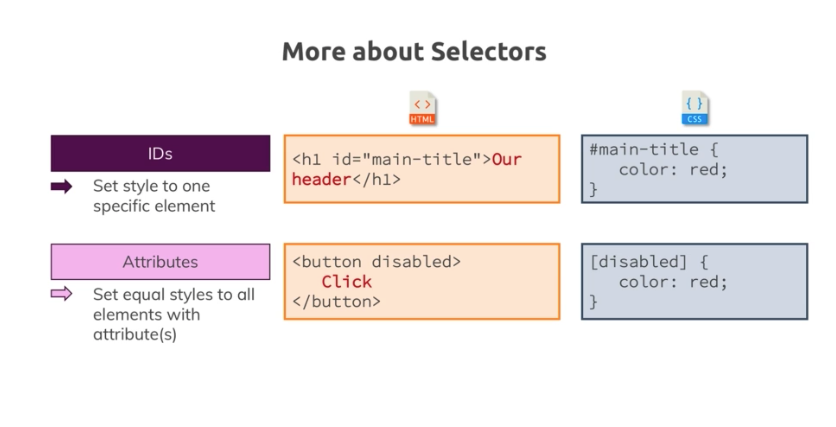
Selectors are ways to get HTML elements

Why is CSS cascading?
CSS is cascading because the same element can have multiple rules and multiple classes attached to it which work in a cascading fashion.
The specificity of these cascading rules help in resolving conflicts that may arise from multiple rules
- “*” has the lowest priority
- <Tag> and ::Pseudo elements have the second-lowest priority
- Class, :pseudo class and [attribute] selectors have the third-lowest priority
- Next in line are the #ID selector
- Finally, the inline styles will have the highest priority

CSS Inheritance
The Child element inherits some styles from the parent element
Inheritance in CSS has very low specificity and even load at the bottom in the web CSS.
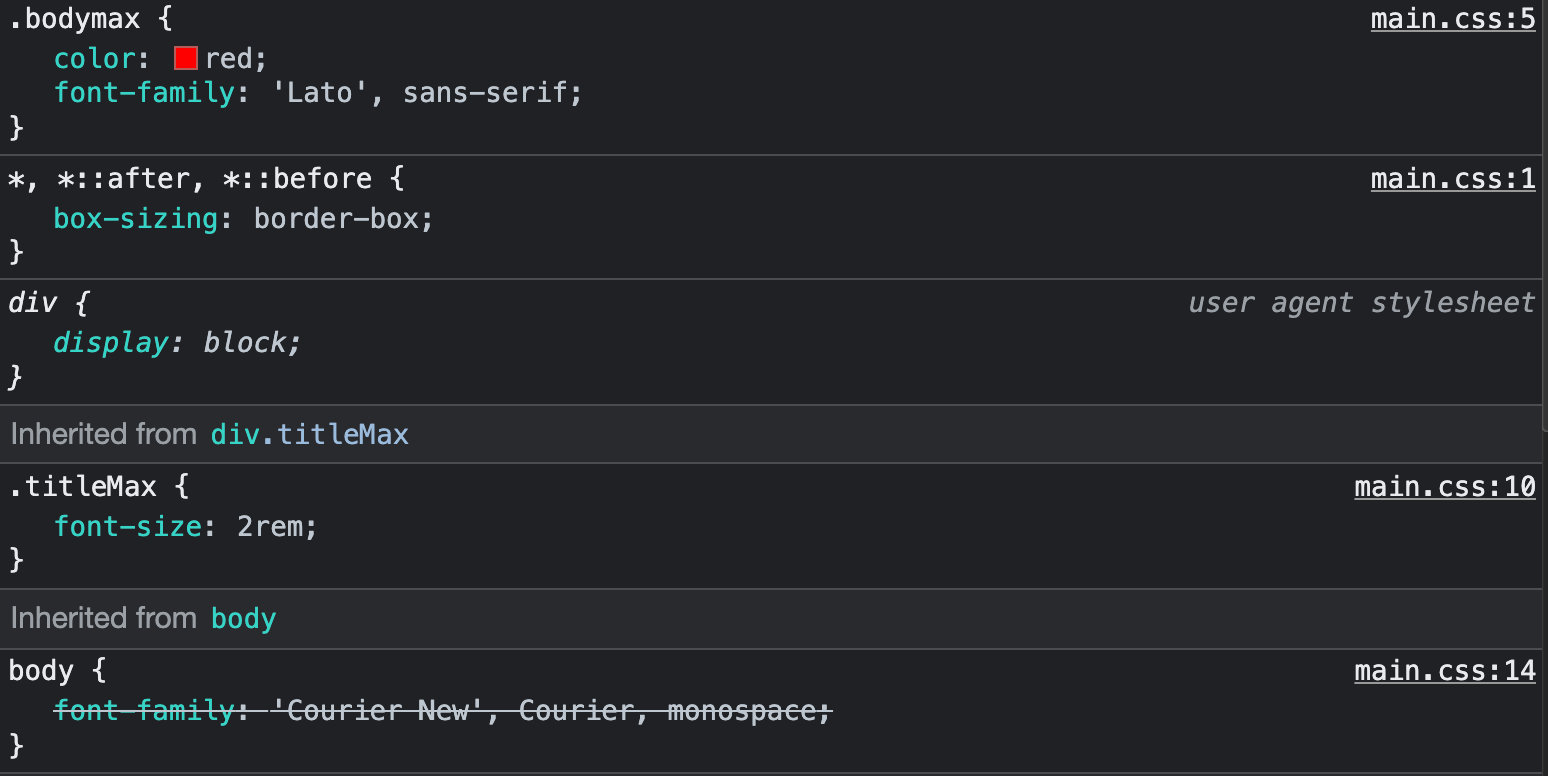
This represents that even though the body tag is added with CSS, it will not override the child style here
Combinator
A combinator allows us to be more precise in the way we use our selectors
This can be done to narrow down selectors when we don’t want to use multiple classes
For E.g. select only the h1 tag which is under the id #preview
The solution for above would be as follows:
<div id=”preview”>
<h1> Hello </h1>
</div>
Generally, a combinator has a higher specificity.
This simply means that more specific rules have greater specificity and thus greater priority.
This is not the same as inheritance as the combinators are not passed down automatically.
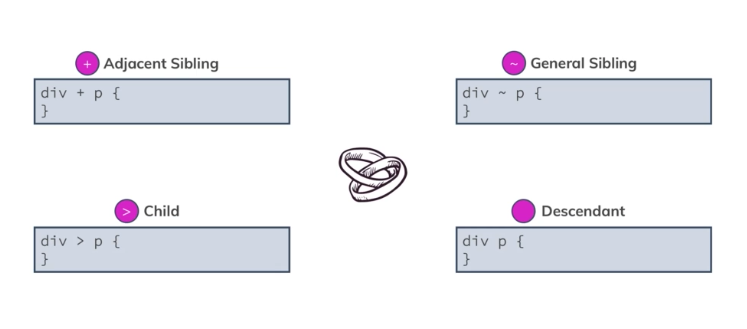
There are 4 different types of combinators
- Adjacent Sibling +
- General Sibling ~
- Child Sibling >
- Descendant
Adjacent Sibling
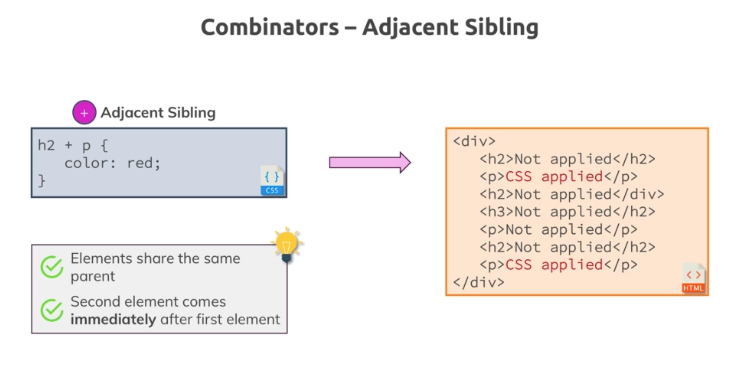
The Adjacent sibling combinator helps in specifying a CSS style to the selector immediately after the specified parent.
This is very specific and will only work on the immediate next element to the parent
General Sibling
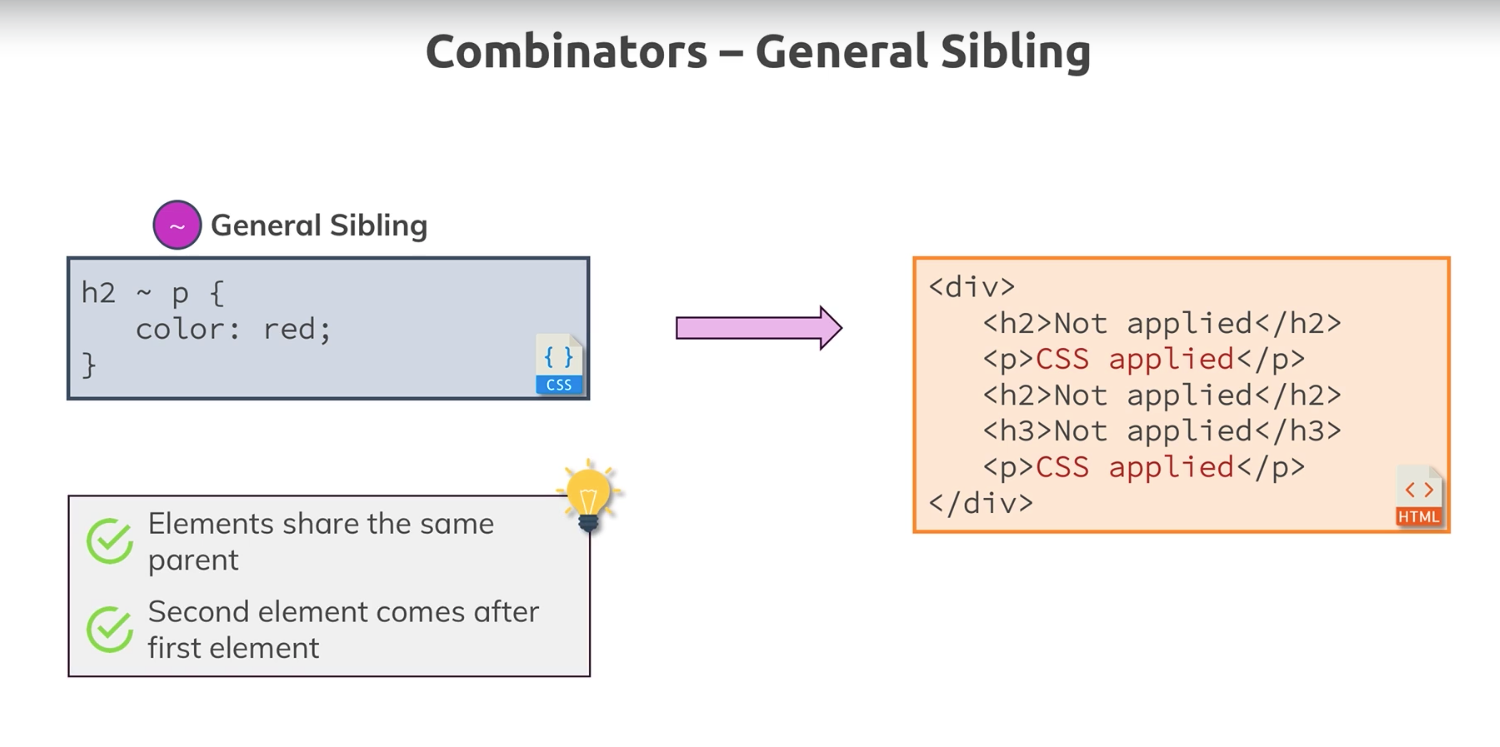
The General sibling is a bit flexible as the second element can come anywhere after the specified parent.
Child Combinator

Any selector who is a direct child of the parent should get the style
Descendant
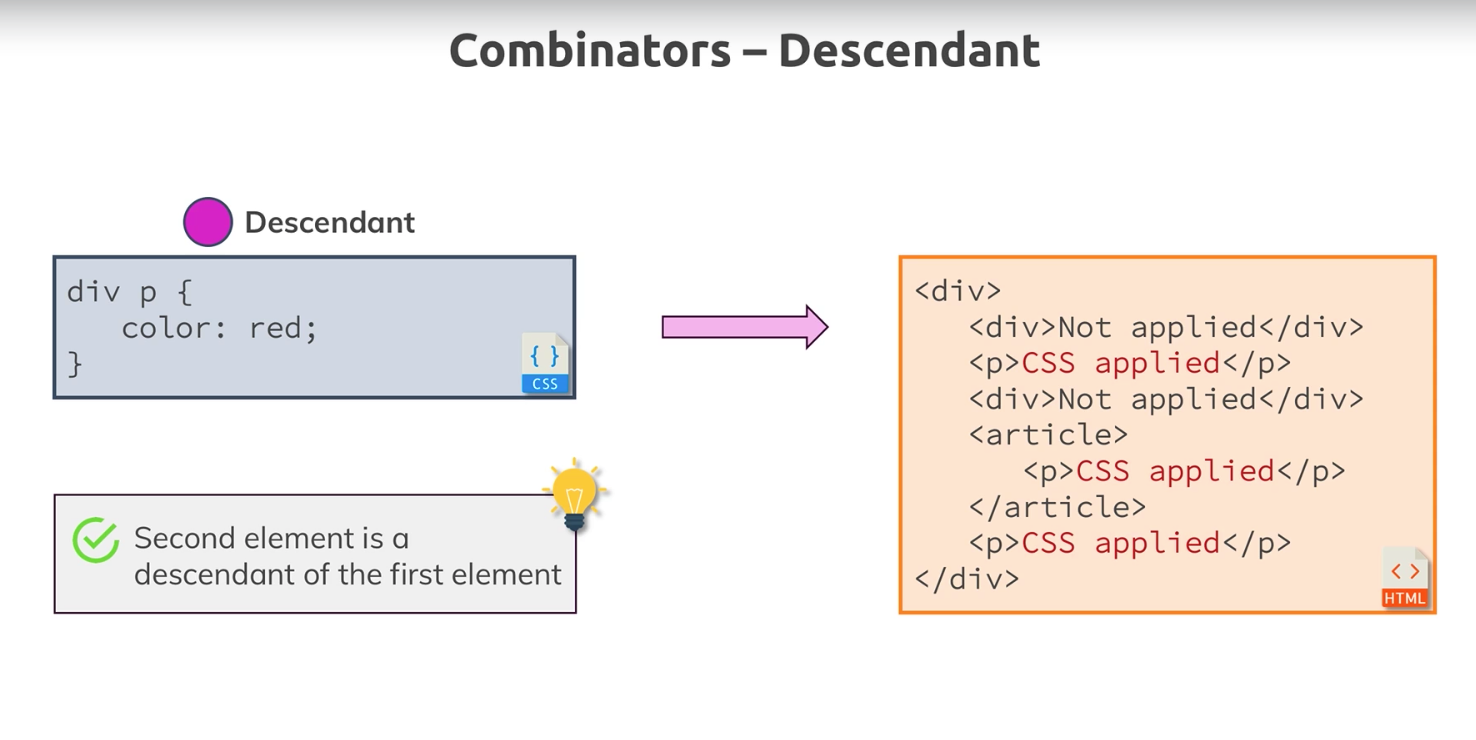
The descendant is the most used combinator as they allow us to style all the descendants whether or not they are direct children of the parent.
Generally, combinators have poorer performance than the traditional selectors as they help in applying styles using a search rule of cascading selectors, but depending on how we use it they can be very useful
Selectors, Properties, and Values
Some sample Selectors, properties, and values are as below:

We use these to apply CSS to our HTML files
Resource Link here
Value types
Values are tightly coupled to a specific property

The different value types are :
- Pre-defined Options
- Colors
- Length, Sizes, and Numbers
- Functions
These can be used to define what the selectors will do. Basically, they assign a quantitative and cognizable value to the selectors being used.
Summary
So we now know a bit about how CSS works. In the next blog of the “Learning CSS” series, we will be starting our advanced track where we explore some key concepts to jump into intermediate levels of development effort.
Hope you like the this part of the series and stay tuned for more content from the CodeWolf!
Leave a Reply to Next to React! – The Code WolfCancel reply